Choose between a written description, a style image and your own handwriting. Create a custom font in FontKind AI, test it with your words and download the TTF.
Screenshots show the English interface. Description results come from a real local task; image and handwriting results use published examples. Your font will depend on your input.
01Choose how to start
Start with the result you need. For a new lettering style, use a description or a style image. To preserve the shapes in your own writing, choose handwriting restoration.
Open the studio and sign in. FontKind AI uses the same account as Handwriting AI; font creation has its own credits. Review the price shown for your task before submitting it.
02Describe a font you want to use
Choose the description creation page. Say what the font is for, how it should feel and which visible qualities matter. A playful invitation, a narrow poster title and a calm book heading call for different lettering.
Write your description in the highlighted field. This bakery brief was used to create the font shown below.
Keep the description focused on one style. Instead of only writing “a cool font,” describe the mood and shape in everyday language. The example below was used to create Acid Wave; you can adapt it to your own project.
Choose Style image when you have lettering or a sketch that shows the look you want. Upload a clear image, then add an optional description to explain your intended use.
Choose Style image, then select a file in the highlighted upload area.
This creates a new font inspired by the lettering. It does not identify an existing font or recover its original font file. For a closer match to personal handwriting, use the handwriting restoration page instead.
Choose handwriting restoration to work from a photo of your notes, a letter or a journal page. Use a clear sample of one consistent handwriting style, with varied letters and any numbers or punctuation you want to show.
Use the dedicated handwriting page. Select your photos in the highlighted area.
The finished font uses original letter shapes where they can be restored. Missing or unreliable characters are completed in the same style. Handwriting-inspired style is a separate option for creating an inspired font; it may differ from the original writing.
Review the input and the credit cost shown on the creation page. Image tasks offer Balanced and High quality; High quality requires an active Pro or Max subscription. Handwriting restoration has its own price and confirmation steps.
A real description task at the letter-shape stage. The marker highlights its current step.The actual character sheet generated during this task, before font construction. This process image is included for illustration; it is not a screen shown in the studio.
Submit once, then follow the task progress. If the page is interrupted, return to the task in your studio to check its status before starting again.
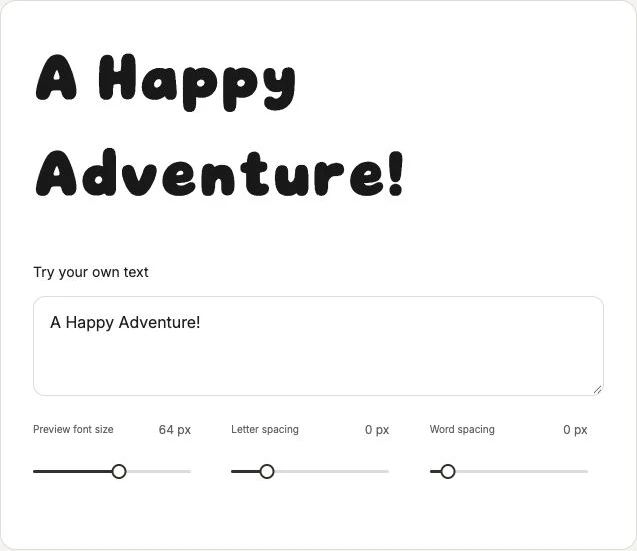
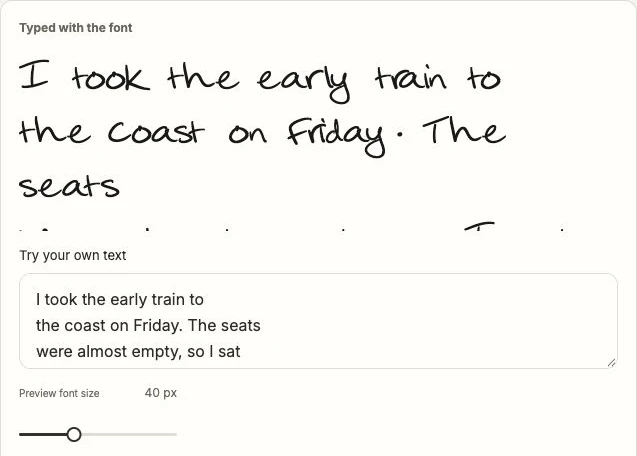
When the task is complete, type a short title and a longer sentence into the font preview. Include capitals, lowercase letters, numbers and punctuation. Look at normal reading size as well as larger lettering.
The completed local task contains 95 characters. Type in the highlighted field to try the actual generated font; use the sliders to adjust size and spacing.
Check whether similar letters remain distinguishable, words have comfortable spacing and the style suits your intended use. A striking title font may be less comfortable for a long paragraph.
07Download your TTF
Open the completed task and choose Download TTF. Keep the downloaded file so you can install it or upload it to an app that accepts custom fonts. Check that app’s font requirements before planning your project.
The highlighted Download font button saves the TTF from this completed task. This download was tested.
Generated fonts may be used commercially. Make sure you have permission to use any reference images or handwriting you upload. Installing or uploading the font in another app is a separate step from creating it here.
Turn a lettering image or sketch into a new font. Prepare your reference, choose Style image, test the generated letters and download a TTF in FontKind AI.
 FontKind