
Image to font

Turn an image into a font.

Turn a photo, screenshot or lettering image into a font. Try your own text and download the TTF.

Font language
30–50 credits

New accounts get 50 free credits — enough to try one font.Sign up

10 style-font languages · TTF download
Style reference image for Ritual Serif
Style reference image
Generated font examples
Loading example font…
Full character set
Loading example font…
Ritual Serif
Read the image-to-font guide
What you can create

A reference image. A font for your next project.

See how lettering and visual references become fonts for labels, titles, and everyday design work. Open an example to inspect its input and type with the result.

01

Turn a photo of handwriting into a font.

Upload a clear photo of a note or letter. Sunday Letter keeps the slant and relaxed pen strokes of a handwritten letter.

This uses your handwriting as a style reference: letters are redrawn in a similar style, not restored from your photo. Neat, upright print gives the best results.

Try this font and see its inputWant your own letter shapes? Create a handwriting font
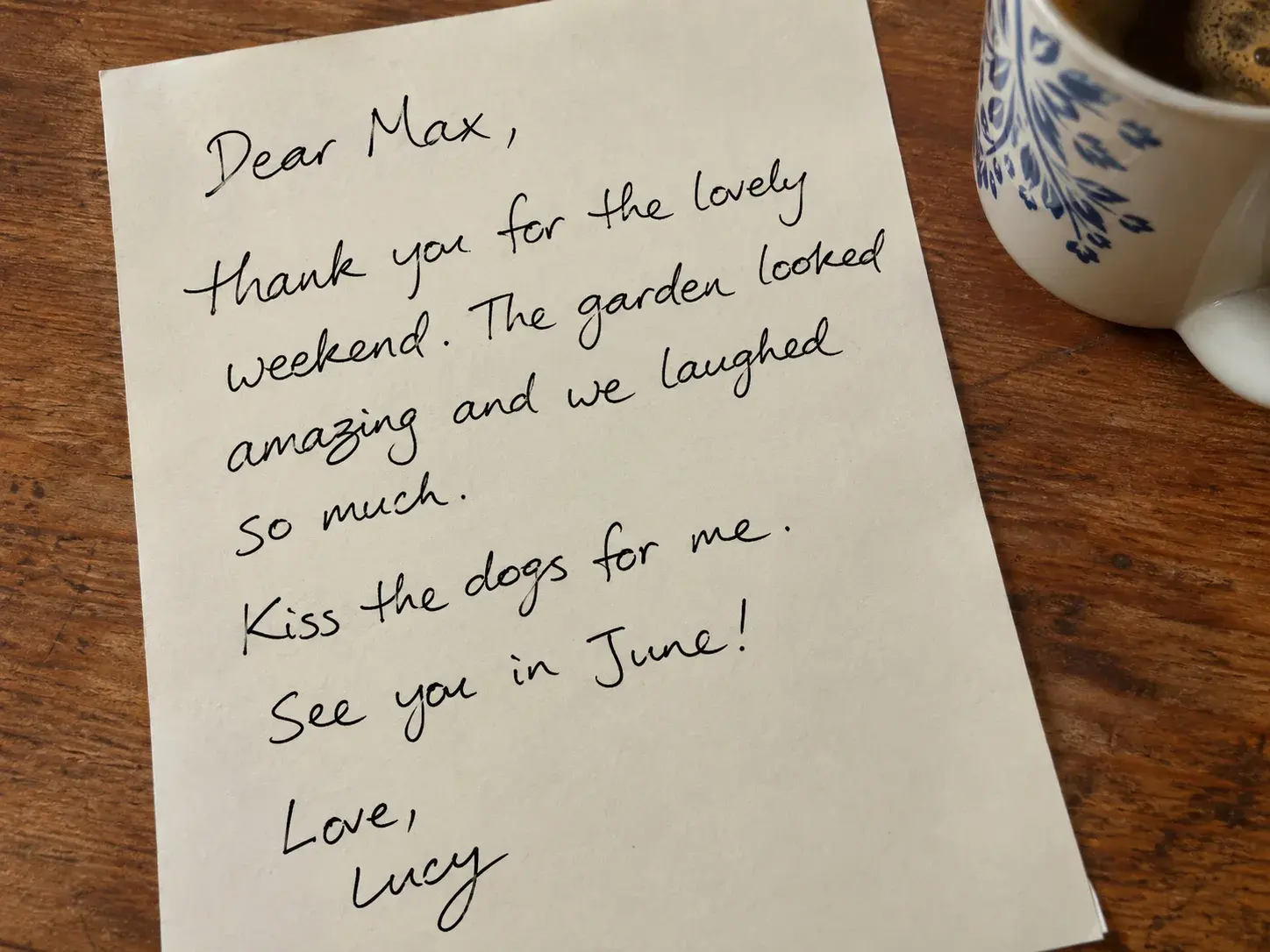
Style reference image for Sunday Letter
Style reference image
Generated font examples
Loading example font…
Full character set
Loading example font…
Sunday Letter
02

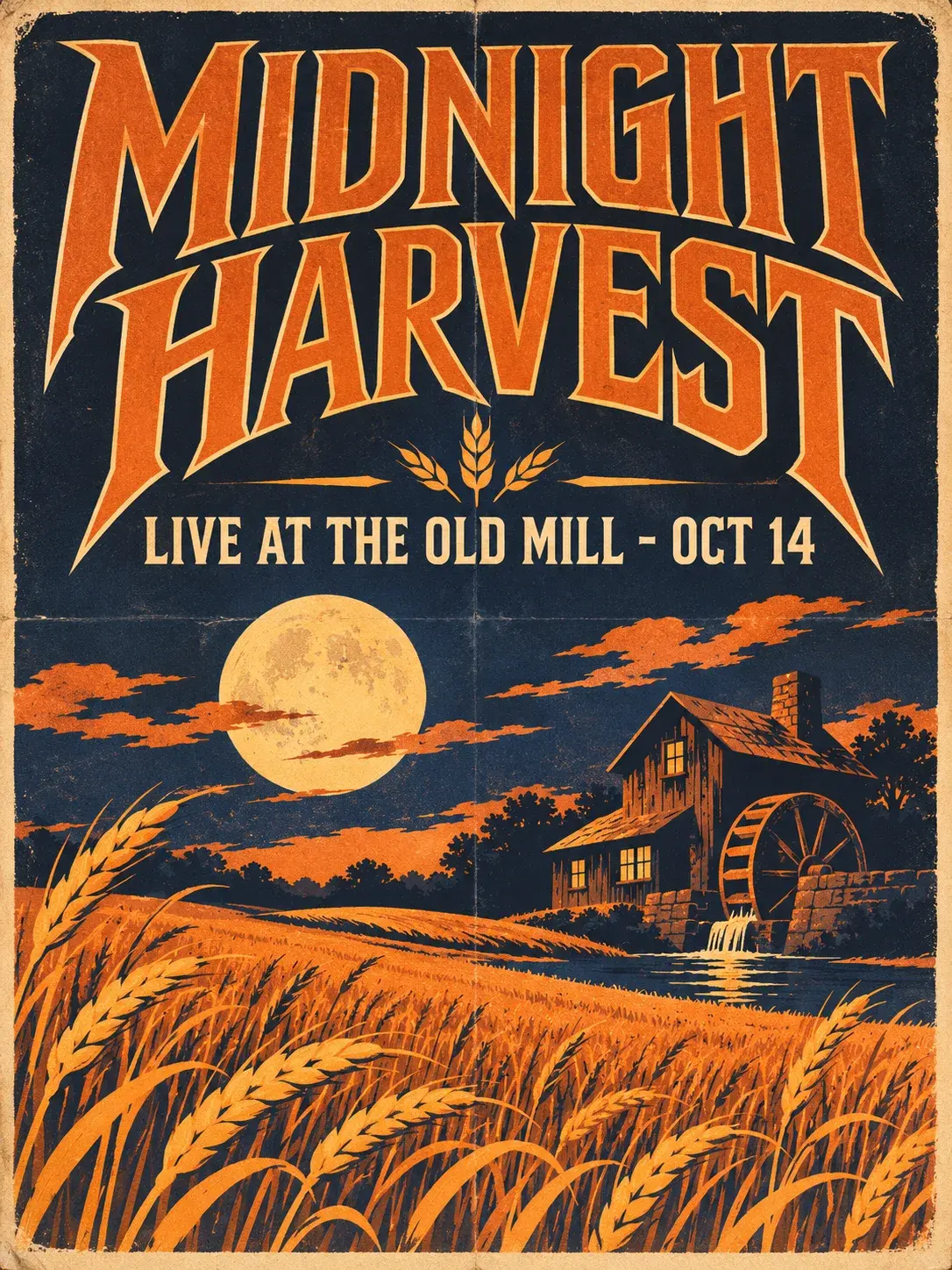
Reuse a poster title in new headlines.

Bring the lettering of a poster or title card to every heading. Midnight Harvest takes its condensed shapes and sharp terminals from a concert poster.

Try this font and see its input
Style reference image for Midnight Harvest
Style reference image
Generated font examples
Loading example font…
Full character set
Loading example font…

Midnight Harvest
03

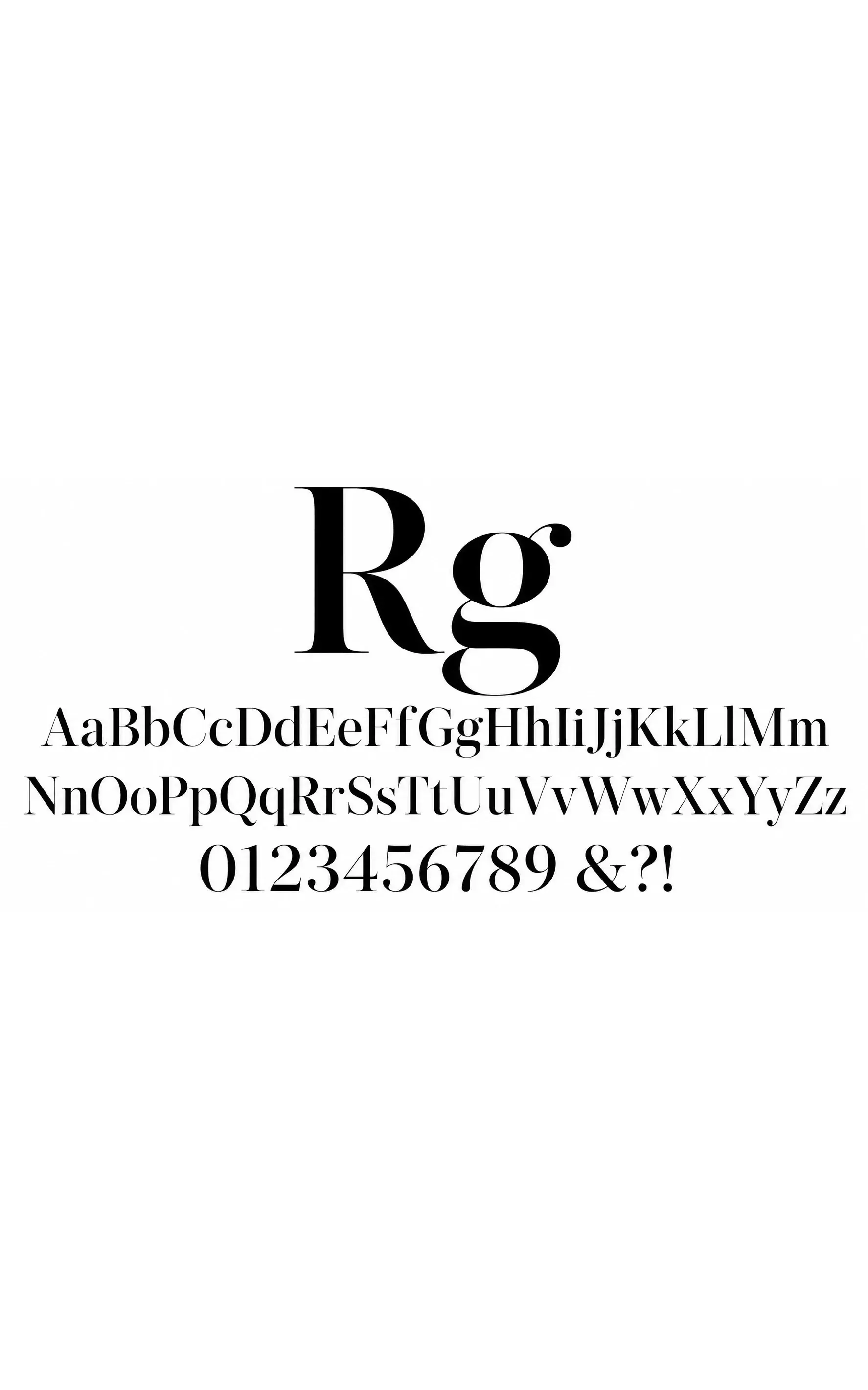
Start from an alphabet sheet.

An alphabet chart shows every letter clearly. Atelier Serif was generated from a specimen sheet and carries its serif construction across the full character set.

Try this font and see its input
Style reference image for Atelier Serif
Style reference image
Generated font examples
Loading example font…
Full character set
Loading example font…
Atelier Serif
04

Give your next label the same feel.

Use lettering on a package as a starting point for new product names and headings. Quiet Label shows the fine serif font generated from a skincare packaging reference.

Try this font and see its input
Style reference image for Quiet Label
Style reference image
Generated font examples
Loading example font…
Full character set
Loading example font…
Quiet Label
How it works

From your image to a font you can type with.

  1. 01

    Upload your reference

    Choose a clear image and add a short description of what you want. Point out the lettering or visual details that matter for your project.

  2. 02

    Create your font

    Check the credit cost, then choose one of the ten supported font languages. The TTF uses the selected language’s script and character range.

  3. 03

    Try your words and download

    Preview the result with text from your project. Download the TTF to install and use in apps that support custom fonts.

  4. 04

    Refine your font

    Open the finished font to adjust its style and preview each version.

Frequently asked questions

Sign in, upload your reference image, and describe the font you want. After generation, preview your own text and download the TTF. The result is an installable font, rather than an image of a single phrase.

Use a sharp lettering photo, sketch, or visual reference. For lettering, keep the letters large and easy to see. For a scene or illustration, describe the shapes and mood you want the font to reflect. Only upload material you own or have permission to use.

The image guides a new font in a similar style. Exact letter shapes, spacing, and decorative details may differ. Characters missing from the reference are created to complete the font.

Yes. Open the finished font and choose Edit font. Describe a change to the overall style or specific characters, with an optional reference image. Compare versions before applying the edit. The credit cost is shown before you generate it.

How to Edit a Style Font Made from a Description or Image

This tool creates a new font inspired by your image. It does not identify an existing font or provide a download of the original typeface.

Yes. Start on Handwriting to Font to choose between restoring your personal letterforms and quickly creating a font in a similar handwriting style. Each option explains its result and credit cost before you submit.

Handwriting to font

For a style font from an image, choose a supported font language. Latin-script TTFs include English letters, numbers and punctuation; Armenian TTFs include Armenian letters, numbers and common punctuation. The credit cost is shown before you submit. Generated fonts can be used commercially.

View pricing

New accounts receive 50 starter credits once, enough to try one image-to-font creation in any supported font language, including from a photo of handwriting. Existing accounts do not receive another grant.

View pricing

Style fonts in ten languages

  • English
  • Spanish
  • German
  • Turkish
  • French
  • Portuguese
  • Italian
  • Indonesian
  • Malay (Latin)
  • Armenian

Latin-script TTFs include English letters, numbers and basic punctuation, plus the selected language’s letters. Armenian TTFs include Armenian letters, numbers and common punctuation. Malay uses Latin script; Jawi is not included.

Have an image in mind?

Bring your reference, describe what you like about it, and create a font for your next project.

Upload a style imageStart from a description instead